Atlassian Intelligence Explained: AI Built Right Into Your Workflow
Abhi Garg
Oct 23, 2026
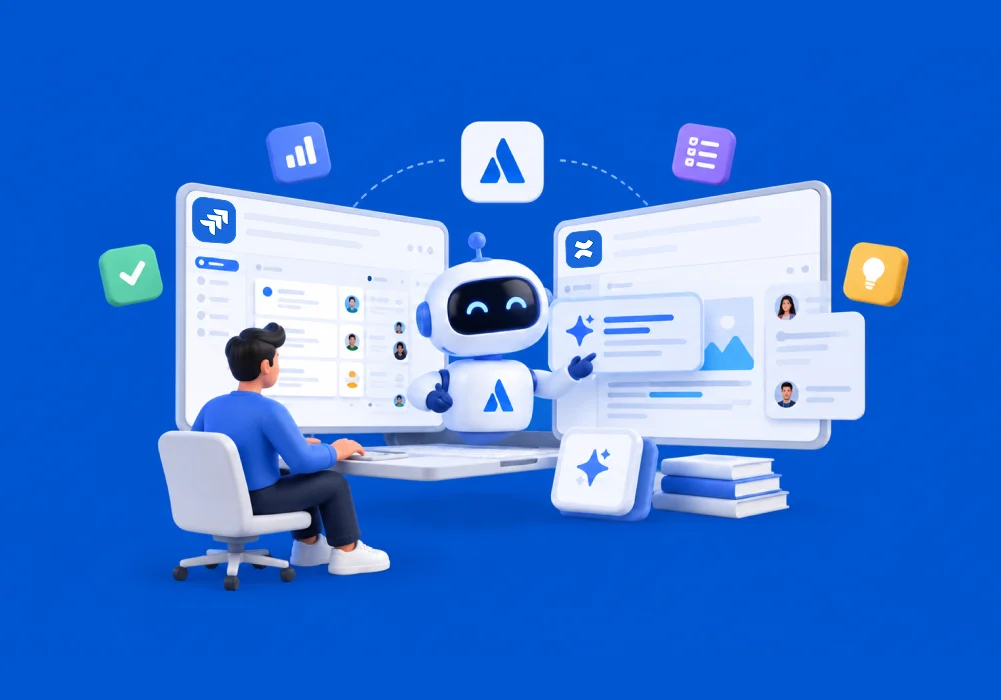
Teams already spend much of their working day in Jira, Confluence, and other Atlassian tools.
Yet when they need AI help, they often have to copy information into another tool, explain the context again, get an answer, and then bring that answer back into their workflow.
That creates another layer of work.
Atlassian Intelligence was built to solve part of that problem by bringing AI capabilities directly into Atlassian products. Today, Atlassian’s AI offering has evolved further with Rovo, bringing together AI-powered search, chat, and agents while continuing to support AI features inside products such as Jira and Confluence.
In this guide, you’ll learn what Atlassian Intelligence is, how it relates to Rovo, what it can actually do, where it fits into everyday workflows, and what businesses should consider before enabling it.
What Is Atlassian Intelligence?
Atlassian Intelligence is Atlassian’s native AI capability built into its products.
Instead of asking teams to leave Jira or Confluence to use AI, it brings AI-powered assistance into the tools where work and knowledge already exist.
In Jira, AI can help teams summarize work, improve descriptions, search for work using natural language, create automation flows, identify related work items, and bring relevant Confluence information into a work item.
In Confluence, AI can help summarize pages, comments, blogs, and whiteboards, improve writing, create action items, and turn content into Jira work.
The main value is not simply that AI is available.
The bigger advantage is that AI can work closer to the context teams already use to get work done.
That makes the experience less like opening a separate chatbot and more like having AI assistance inside the workflow itself.
Atlassian Intelligence and Rovo Explained
The terminology around Atlassian’s AI can be confusing because the products and capabilities have evolved.
Atlassian Intelligence refers to AI capabilities embedded across Atlassian products.
Rovo is Atlassian’s broader AI product for finding, understanding, and acting on organizational knowledge. It brings together capabilities such as AI-powered search, chat, and agents and can work with information across Atlassian and connected systems.
So, Atlassian Intelligence and Rovo are related, but they are not simply two names for exactly the same thing.
A useful way to think about it is this:
- Atlassian Intelligence: AI capabilities inside Atlassian products.
- Rovo: A broader AI experience for finding information, understanding context, and taking action.
That distinction matters because older articles may describe features as Atlassian Intelligence, while newer Atlassian documentation often presents those capabilities through Rovo. Atlassian’s current product documentation, for example, describes Jira and Confluence AI capabilities under Rovo.
For a deeper look at the broader platform, see this guide to Atlassian Rovo.
What Atlassian Intelligence Can Actually Do
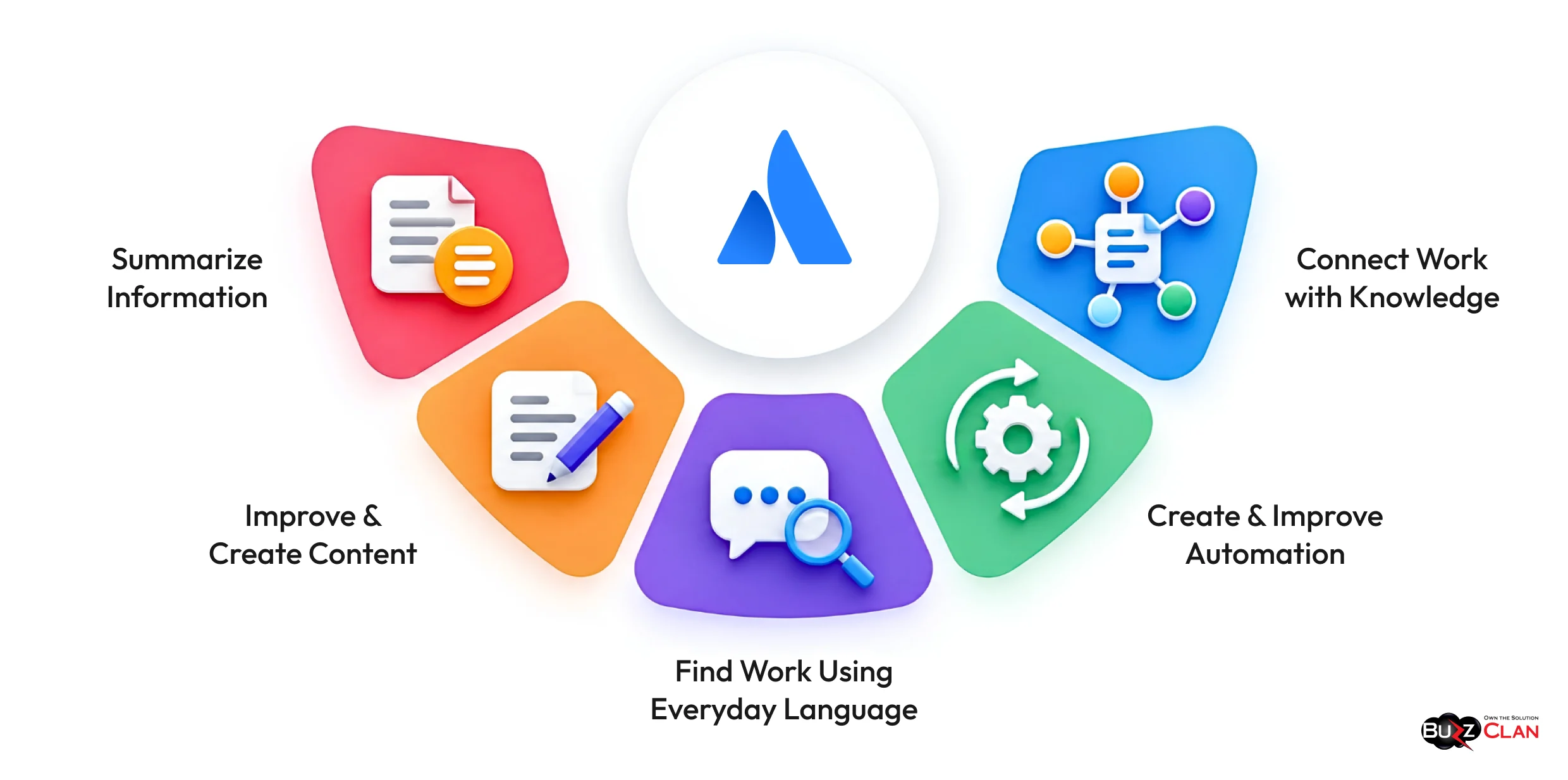
The easiest way to understand Atlassian Intelligence is to look at the work it can reduce.
Summarize Information
Long Jira comments, pages, and updates can take time to review.
AI can turn that information into a shorter summary so users can understand the key points faster. Jira can summarize work items and comments, while Confluence can summarize pages, blogs, comments, and whiteboards.
Improve and Create Content
Teams spend a surprising amount of time writing issue descriptions, documentation, updates, and other internal content.
AI can help draft, rewrite, translate, change tone, and improve clarity directly within Atlassian products.
Find Work Using Everyday Language
Jira users do not always need to know exactly how to structure a complex query.
Rovo can translate natural-language requests into Jira queries, making it easier to find relevant work.
Create and Improve Automation
Automation can remove repetitive tasks, but creating rules can still require technical knowledge.
Rovo can turn a plain-language request into an automation flow, lowering the effort required to automate routine work.
For organizations already investing in automation, this Jira and Confluence automation and AI guide provides a broader view of how these capabilities can work together.
Connect Work with Knowledge
A Jira issue may depend on requirements, decisions, technical documentation, or past discussions stored elsewhere.
AI can surface related Confluence content within Jira, helping users find context without manually searching through separate spaces.
Where Atlassian Intelligence Fits Into Everyday Workflows
AI becomes more useful when it removes a real point of friction.
Consider a product team working through a large backlog.
A team member can use natural language to find relevant work, summarize an issue, improve its description, identify related work, and surface supporting Confluence content without building each step from scratch.
Now consider a documentation-heavy team.
Instead of starting a page from a blank screen, users can draft content, refine existing writing, summarize long pages, or turn information into actionable tasks inside Confluence.
The same principle applies to service teams.
When a support request contains a large amount of information, AI can help summarize the issue and give agents a faster way to understand what has already happened.
This is where the idea of AI built into the workflow becomes important.
The goal is not to add another place where employees have to work. It is to reduce the work required to move from information to action.
Organizations can also strengthen these workflows through Jira automation rules that handle repetitive steps before AI is even involved.
For teams evaluating Atlassian alongside other work management platforms, understanding the surrounding workflow also matters. This comparison of Azure DevOps vs. Jira can help put Jira’s role into perspective.
How Atlassian Intelligence Handles Data, Privacy, and Permissions
AI adoption becomes much harder when employees are unsure what information the system can access.
Atlassian states that its AI and Rovo capabilities follow the permissions already configured within its applications. Users cannot use AI to create or generate content from resources they do not have access to.
That means AI does not simply ignore the access structure already defined in Jira or Confluence.
Permissions remain an important part of how relevant information is surfaced.
Atlassian also advises organizations to review privacy and security requirements before enabling AI or Rovo, particularly where business or regulatory requirements may apply.
For enterprises, the practical question is therefore not only whether an AI feature is useful.
It is whether the underlying Atlassian environment has the right permissions, governance, structure, and data practices to support that feature safely.
This is also why understanding how information is connected matters.
Atlassian’s Teamwork Graph connects work, knowledge, teams, and goals so AI can work with relationships between information rather than treating every piece of content as an isolated document.
Atlassian Intelligence vs. Standalone AI Tools
A standalone AI tool can be useful for writing, brainstorming, analysis, and general questions.
The challenge comes when the answer depends on company-specific context.
A generic AI tool may need users to copy in documents, explain project details, or manually provide the information needed to generate a useful answer.
An AI capability built into Atlassian starts much closer to the actual work.
Jira contains work items, priorities, statuses, comments, and dependencies.
Confluence contains documentation, decisions, requirements, and team knowledge.
When AI works within that environment, the user spends less time preparing the context and more time using the result.
Rovo takes this further by allowing teams to search across connected information and use AI agents that can support specific workflows.
That does not make standalone AI tools irrelevant.
It simply means the best option depends on the task.
For organizations using Microsoft heavily, this Atlassian Rovo vs. Microsoft Copilot comparison can help clarify where each approach fits.
What to Consider Before Enabling Atlassian Intelligence
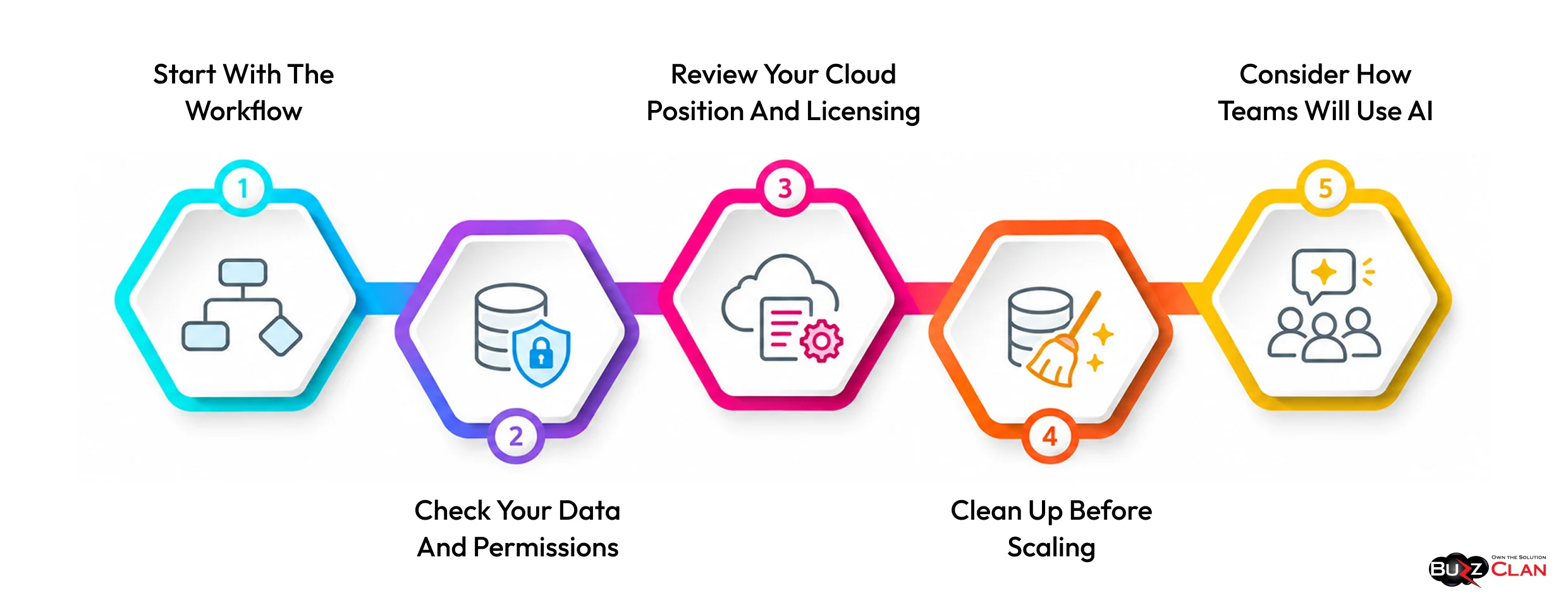
Turning on AI is not the same as getting value from AI.
Organizations should first look at how their Atlassian environment is structured.
Start with the Workflow
Identify repetitive tasks, information bottlenecks, and activities that require employees to search or summarize information manually.
These are often better starting points than enabling AI everywhere at once.
Check Your Data and Permissions
AI is only as useful as the information it can work with.
Review permission structures, content organization, and access rules before expanding AI usage. Atlassian’s AI features respect existing permissions, so those controls directly affect the experience.
Review Your Cloud Position and Licensing
Many of Atlassian’s newer AI capabilities are part of its Cloud product experience. Organizations still using older environments should review their broader platform strategy rather than treating AI as an isolated feature.
A useful starting point is this guide to Atlassian Cloud migration. Organizations comparing deployment options should also consider their existing infrastructure, business requirements, and long-term platform plans.
Cloud readiness also involves understanding the cost of the tools your teams use.
Atlassian’s Cloud list-price update took effect on October 13, 2026. It applies to selected plans across Jira, Confluence, Jira Service Management and Service Collection, Atlassian Guard, Teamwork Collection, and other Cloud offerings. The impact varies by product, plan, and user tier.
The updated prices apply to new purchases, as well as relevant renewals and upgrades. Quotes created before October 13 remain valid at their previous prices until they expire. For the full scope of the changes, see Atlassian’s official Cloud pricing FAQs.
For organizations planning to expand their use of Atlassian Intelligence or Rovo, reviewing licensing is part of the wider adoption plan. Check current subscriptions, user counts, renewal dates, expected growth, and planned upgrades before making further commitments.
It may also be worth comparing individual subscriptions with Teamwork Collection when multiple Atlassian products are in use. Evaluate the features and costs against your actual requirements rather than assuming that a collection will always be more economical.
Remember that the subscription price update is separate from usage-based pricing. If your teams use metered capabilities, such as Rovo credits or automation, review the applicable allowances and billing settings as part of your budget planning.
Clean Up Before Scaling
Poorly structured workflows, unnecessary automation, duplicate content, and unclear ownership can make a platform harder to use.
AI does not automatically fix those problems.
It can make a well-designed environment more useful, but it cannot replace good platform design.
This is especially relevant for organizations planning their long-term move away from older Atlassian environments. Teams dealing specifically with legacy migration can review the Atlassian Data Server to Cloud migration guide.
Consider How Teams Will Use AI
The technology is only one part of adoption.
Users still need clear guidance on what AI should be used for, what needs human review, and where automation should remain controlled.
How to Get Started with Atlassian Intelligence
Start with a workflow problem, not the technology.
Identify where teams spend too much time searching for information, summarizing work, updating issues, or handling repetitive tasks.
Then map Atlassian Intelligence to those specific needs and begin with a few high-value use cases.
Before expanding these use cases, confirm that your current Cloud plan supports the required capabilities. Review user counts, upcoming renewals, and planned upgrades against the prices now in effect. This helps keep AI adoption aligned with your team’s needs and available budget.
For organizations that need help assessing their Atlassian environment, planning AI adoption, or optimizing Jira and Confluence workflows, BuzzClan’s Atlassian services can help build a more AI-ready setup.
The goal is simple: Use AI where it removes friction and improves how teams work.
Make Your Atlassian Environment AI-Ready
AI delivers more value when Jira, Confluence, workflows, and data are set up to support it. BuzzClan helps organizations optimize their Atlassian environments and plan practical AI adoption around their platform and business needs.
Conclusion
Atlassian Intelligence makes it possible to bring AI into the workflows your teams already use instead of adding another disconnected tool.
The next step is to identify one or two repetitive tasks in Jira or Confluence where AI can save meaningful time.
Test those use cases, review the results, and expand only where the impact is clear.
As Atlassian’s AI capabilities continue evolving through Rovo, businesses should also review their workflows, permissions, data, and automation to create a stronger foundation for AI.
The objective is not to use more AI.
It is to make everyday work faster, smarter, and easier to act on.
Find Where AI Fits Best
Every business has different workflows, bottlenecks, and opportunities for AI. Connect with BuzzClan to identify where AI can create meaningful value and what it takes to put those use cases into practice.
Frequently Asked Questions
Atlassian Intelligence is Atlassian’s native AI capability that helps users complete tasks inside products such as Jira and Confluence. Its capabilities include summarizing content, improving writing, finding work, and creating automation through natural-language prompts. Many of these capabilities are now presented through Atlassian’s broader Rovo AI experience.
In Jira, AI can summarize work, improve issue descriptions, find related work, search using natural language, surface Confluence content, and create automation flows. In Confluence, it can summarize pages and whiteboards, improve content, create action items, and turn content into Jira work.
It reduces repetitive work and the time teams spend searching, summarizing, writing, and moving information between tasks. Because AI operates inside Atlassian products, users can work with relevant context without constantly switching to another AI platform.
Atlassian states that its AI and Rovo capabilities respect existing application permissions, meaning users cannot generate content from resources they are not authorized to access. Organizations should still review their privacy, security, and governance requirements before enabling AI.
Atlassian Intelligence refers to AI capabilities built into Atlassian products, while Rovo is Atlassian’s broader AI product for search, chat, knowledge discovery, and AI agents. The two are closely connected, which is why newer Atlassian documentation increasingly presents AI capabilities under Rovo.
BuzzClan can help organizations assess their Atlassian environment, plan AI adoption, configure Atlassian products, optimize workflows, and implement solutions around their business requirements. Its Atlassian services cover consulting, implementation, automation, integrations, migration, and platform optimization.
Yes. AI adoption depends on the underlying Atlassian environment, including workflows, permissions, data structure, integrations, and platform configuration. BuzzClan can assess the current environment and help establish a stronger foundation for AI-enabled workflows.
Yes. BuzzClan provides Atlassian workflow automation, implementation, platform optimization, and governance services. This can help organizations remove unnecessary manual steps and create workflows where AI and automation can deliver more value.
Yes. BuzzClan provides Atlassian migration services and supports organizations moving from older environments to Cloud. This can help organizations prepare for Cloud-based Atlassian capabilities and build a longer-term platform strategy.
Yes. BuzzClan offers Atlassian integrations and custom solutions designed to connect Atlassian with existing enterprise tools and business processes. This can help organizations make AI and automation part of broader workflows rather than treating them as isolated capabilities.

Get In Touch