Atlassian Data Center vs. Cloud: A Strategic Comparison of Cost, Security, and Scalability
Dhiraj Chhabra
Jul 29, 2026
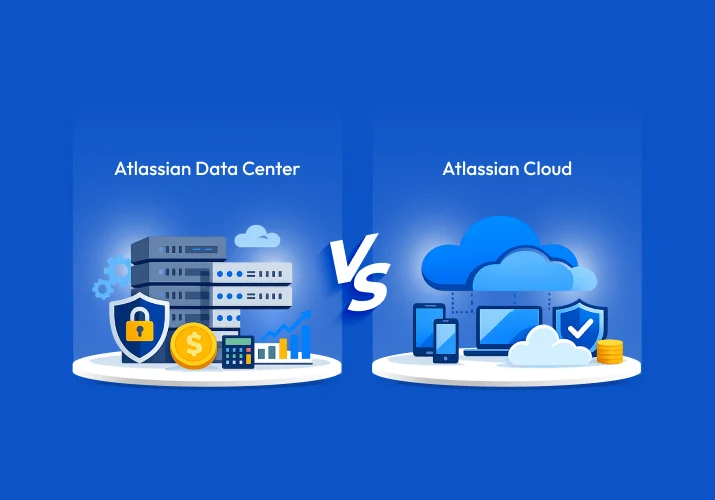
For Atlassian Data Center customers, the platform decision is no longer about choosing between two long-term options.
Atlassian has set March 28, 2029, as the end-of-life date for Data Center products. Existing customers can purchase new licenses and expansions only until March 30, 2028.
That timeline changes how organizations should evaluate Data Center and Cloud.
The question is not simply which platform offers more features. It is which model makes better business sense as your environment evolves.
Cloud changes where costs sit, how security responsibilities are managed, and how easily the platform can scale with the business.
This comparison looks beyond the license price to examine those differences and what they mean for organizations planning their next phase of Atlassian investment.
| Atlassian’s Shift | What It Means for Data Center | What It Signals |
|---|---|---|
| 99% of customers have a Cloud presence | Data Center is becoming a smaller part of Atlassian’s customer base | Product investment is increasingly centered on Cloud |
| New Data Center sales ended in 2026 | New customers can no longer adopt Data Center | Cloud is Atlassian’s default path for new adoption |
| Data Center expansions end in 2028 | Existing customers cannot continue expanding their environments indefinitely | Long-term growth on Data Center is constrained |
| Data Center becomes read-only in March 2029 | Active work can no longer continue on affected instances | Data Center moves from an operational platform toward an archive |
The Real Cost Difference Goes Beyond Licensing
License price is often the first number organizations compare when evaluating Atlassian Data Center and Cloud.
It is also one of the least complete.
The more useful comparison is the total cost of operating each platform. This includes infrastructure, administration, maintenance, upgrades, and the resources required to keep the environment reliable.
The Cost of Running a Data Center
Data Center gives organizations greater control over the underlying environment, which comes with an ongoing operational cost.
A typical Data Center deployment requires spending across several areas:
- Product licenses for Jira, Confluence, Jira Service Management, and Marketplace apps.
- Servers, storage, networking, and high availability infrastructure.
- Internal resources for administration, monitoring, backups, and disaster recovery.
- Upgrade planning, performance tuning, maintenance, and incident management.
These costs do not disappear as the platform approaches end of life.
In fact, the 2028 and 2029 milestones create an important financial consideration. Organizations will eventually lose the ability to expand their Data Center environment, while the infrastructure supporting it still requires investment.
This creates a mismatch between ongoing operational spending and the platform’s remaining useful life.
How Cloud Changes the Cost Model
On Atlassian Cloud, the cost model focuses on predictable subscription fees rather than hardware and heavy operational overhead. Organizations pay per user per product, aligned with defined cloud pricing tiers, while Atlassian assumes responsibility for hosting and core platform operations.
Key characteristics of the Cloud cost include:
- Subscription charges based on user counts and product usage.
- Infrastructure, core performance, and platform security provided as part of the service.
- Reduced need for internal teams to manage hardware, clustering, and major upgrades.
- Ability to adjust user tiers and products over time to match business needs.
Cloud often appears more expensive when only license costs are compared. However, when infrastructure, staffing, risk, and the end-of-life timeline are considered, Cloud frequently delivers lower total cost of ownership over a three- to five-year period, especially for environments with complex infrastructure or variable user counts.
Cloud migration also creates an opportunity to rationalize configurations and applications, retire unused solutions, and remove technical debt. A structured approach such as the one described in BuzzClan’s guide to Atlassian data server to cloud migration helps organizations move from a simple lift and shift mindset to a value-driven optimization exercise.
When Cloud Becomes Financially Advantageous
Cloud is likely to become the more economical option when:
- Infrastructure and hosting costs are high or spread across multiple regions.
- DevOps and administrative effort in the data center is significant.
- User bases are expected to grow or shrink meaningfully in the coming years.
- Regulatory or risk considerations make running an unsupported platform after 2029 unacceptable.
Under these conditions, the ability to forecast Cloud subscription costs and reduce infrastructure expenditure provides financial and operational stability.
The Strategic Cost Question
With Data Center, a larger share of the investment goes toward running and maintaining the environment.
With Cloud, more of that investment goes toward the platform as a managed service.
Migration can also create an opportunity to reduce unnecessary costs. Organizations can review unused Marketplace apps, redundant configurations, legacy workflows, and technical debt before moving forward.
The key difference is not simply what you pay for Atlassian.
It is what you continue to fund around the platform.
| Cost Dimension | Atlassian Data Center | Atlassian Cloud |
|---|---|---|
| Licensing model | Data center subscriptions per product | Per-user subscriptions based on cloud tiers |
| Infrastructure | Organization owns and manages servers and storage | Infrastructure provided and operated by Atlassian |
| Operational overhead | Internal teams manage upgrades and performance | Focus shifts to configuration and governance |
| Flexibility over time | Harder to reduce footprint or consolidate systems | Easier to adjust user counts and products |
| Position after 2029 | Ongoing cost for read-only, unsupported platforms | Ongoing cost for supported, evolving platforms |
Security Comparison As 2029 Approaches
Security is not simply a question of which platform has stronger controls.
The more important question is who is responsible for maintaining those controls as the platform evolves.
With data center deployments, organizations retain significant control over the technology stack. That control also comes with a broader security responsibility.
Security Responsibilities in the Data Center
With data center deployments, organizations retain responsibility for:
- Network security, perimeter defense, and segmenting environments.
- Operating system and database patching across all nodes.
- Identity management, access control, and audit logging.
- Compliance management for standards such as ISO, SOC, GDPR, and sector-specific regulations.
This model gives organizations greater control over their environment. It also requires internal teams to plan and execute security changes across the stack.
This responsibility becomes more significant as the Data Center approaches end of life.
After March 28, 2029, affected instances become read-only and no longer receive the ongoing product evolution available on Cloud. The concern is not simply that the platform stops changing.
It is that the security requirements around the data do not stop changing.
A read-only environment can still contain sensitive business information, user accounts, permissions, and historical records. Its security therefore remains an active responsibility even when the platform itself is no longer evolving.
Security Responsibilities On Cloud
On Atlassian Cloud, security follows a shared responsibility model. Atlassian manages infrastructure security, platform patching, and core compliance certifications, while customers focus on access policies, project structures, data governance, and user behavior.
Benefits of the Cloud security model include:
- Continuous platform updates, including security improvements and performance enhancements.
- Baseline compliance certifications maintained by Atlassian and updated over time.
- Integration with modern identity providers for authentication and single sign-on.
- Options for data residency and regional controls to meet regulatory requirements.
This ongoing evolution is particularly important beyond 2029, when data center instances no longer receive enhancements, and any security posture depends solely on measures outside the application stack.
Cloud also enables secure use of Atlassian intelligence features. Products such as Atlassian Rovo are built to provide AI-based search and insights across cloud data while respecting permissions and governance expectations, which is difficult to replicate on premises at scale.
Risks of Keeping Read-Only Data Center Instances
Retaining a read-only data center instance after end of life can seem convenient for historical access. In practice, several risks arise:
- New vulnerabilities are not addressed through vendor fixes.
- Configuration and plugins cannot be modernized to respond to new threats.
- Regulatory bodies may consider unsupported platforms unacceptable for sensitive data.
- Legacy accounts or permissions may remain in place without easy remediation.
A safer approach is to migrate active work to the Cloud and handle long-term archives as part of a broader information management strategy aligned with organizational security policies.
Security Comparison Table
| Security Dimension | Atlassian Data Center | Atlassian Cloud |
|---|---|---|
| Responsibility scope | Full responsibility for stack and compliance | Shared model with Atlassian securing infrastructure |
| Update cadence | Limited to critical fixes before end of life | Regular security and feature updates |
| Compliance management | Organization manages audits and certifications | Baseline certifications maintained by Atlassian |
| Exposure after 2029 | Increasing risk on static, read-only platforms | Ongoing hardening and monitoring |
| Advanced capabilities | Harder to implement secure AI and graph features | Access to cloud native solutions such as Rovo |
Scalability Comparison For Growing And Changing Teams
Scalability determines how easily Atlassian platforms can support growth, reorganization, and cross-functional collaboration. It is one of the most visible differences between data center and Cloud in everyday operations.
Scaling in Data Center Environments
Scaling data center deployments requires deliberate capacity planning. Organizations need to:
- Provision or upgrade servers and storage to handle growth.
- Configure clustering and load balancing for performance and resilience.
- Plan maintenance windows for upgrades and optimization activities.
- Coordinate capacity decisions with budget cycles and procurement processes.
When teams grow quickly, merge, or reorganize, these steps introduce delays. Onboarding new teams or expanding projects can be constrained by infrastructure rather than by business decisions.
Scaling On Cloud
On Atlassian Cloud, scaling is principally a matter of user management and configuration. Atlassian ensures that the underlying platform can support changing workloads. Organizations can add or remove users, create new spaces and projects, and expand adoption without purchasing or managing hardware.
Practical benefits of Cloud scalability include:
- Faster onboarding for new teams and new locations.
- Easier support for global collaboration across time zones.
- Reduced dependency on hardware provisioning cycles.
- Platform improvements delivered by Atlassian without local tuning.
Cloud also enables capabilities that are specifically designed for large and complex environments. Atlassian Teamwork Graph connects information across issues, pages, and projects so that teams can understand relationships and dependencies at scale. Atlassian Collections organize tools and configurations by domain or initiative, which helps maintain structure as adoption grows.
Operational Impact For Dynamic Organizations
For organizations undergoing frequent change due to acquisitions, restructuring, or new product initiatives, Cloud tends to provide smoother transitions. It allows technical teams to focus on governance, permissions, and standards rather than capacity planning and hardware expansion.
BuzzClan’s overview of Atlassian Teamwork Graph explains how these connections across work objects can improve transparency and coordination once an organization is on Cloud. Similarly, BuzzClan’s explanation of Atlassian Collections shows how structured grouping of Cloud tools supports growth without losing control.
Scalability Comparison Table
| Scalability Dimension | Atlassian Data Center | Atlassian Cloud |
|---|---|---|
| Capacity planning | Dependent on hardware and clustering decisions | Managed by Atlassian as part of the cloud platform |
| Onboarding speed | Influenced by procurement and infrastructure cycles | Primarily influenced by configuration and access |
| Support for global teams | Tied to organization’s network and hosting design | Supported through Cloud’s global availability |
| Adaptability to change | Each major change requires infrastructure review | Changes handled through governance and configuration |
| Use of advanced tooling | More complex to deploy analytics and AI at scale | Enhanced through Teamwork Graph and Collections |
Should You Migrate Now Or Wait
Once cost, security, and scalability are considered together, the central decision becomes timing. Organizations can either plan an early, structured move to Cloud or wait until the end-of-life dates are near.
Implications Of Waiting
Delaying migration until late 2027 or early 2028 compresses the available window for preparation and execution. Complex Atlassian environments often require 18 to 24 months for a safe transition, including discovery, remediation, testing, integration work, and phased cutover.
If planning starts late, several challenges arise:
- Reduced flexibility in negotiating commercial terms and support arrangements.
- Limited availability of experienced migration partners and internal resources.
- Increased pressure to fit assessment, design, and migration into shorter timelines.
These factors raise the risk of rushed decisions, limited testing, and potential disruption.
Advantages Of Migrating Earlier
Beginning migration planning earlier provides a number of tangible benefits:
- Ability to pilot cloud adoption with selected teams.
- Opportunity to clean up workflows, fields, and schemes before migration.
- Time to evaluate Marketplace apps and replace or retire those that are not needed.
- Flexibility to design phased migration waves rather than a single large cutover.
BuzzClan’s experience delivering Atlassian services shows that organizations obtain better outcomes when Atlassian cloud migration is treated as a broader optimization and modernization program, not just a change of hosting model. This approach aligns tools, processes, and governance with longer-term business objectives.
Indicators That You Should Start Planning Now
You should start formal migration planning if any of the following is true:
- Your next significant data center subscription renewal falls within the next 12 to 24 months.
- Infrastructure or hosting agreements for data center environments are due for renewal or renegotiation.
- Your teams are requesting better support for remote work, integrated collaboration, or AI-assisted workflows.
- You operate in regulated sectors where auditors are unlikely to accept unsupported platforms storing active data after 2029.
A structured initial assessment, covering current Atlassian products, customizations, integrations, and user groups, provides a strong foundation for deciding migration scope and phasing.
Migration Timing Comparison Table
| Timing Dimension | If Planning Is Deferred | If Planning Starts Early |
|---|---|---|
| Negotiation leverage | More constrained by upcoming deadlines | Greater flexibility in shaping commercial terms |
| Partner and resource availability | Tighter, with more organizations seeking help | Improved access to experienced migration partners |
| Internal pressure | Higher, with less time for testing and adjustment | Lower, with scope for pilots and phased adoption |
| Overall risk profile | Increased risk of rushed or incomplete migration | Reduced risk through deliberate, staged execution |
Design Your Atlassian Cloud Migration Roadmap
BuzzClan’s Atlassian services support you with assessment, strategy, and phased execution so your move from data center is controlled and aligned with your business goals.
To Sum Up
Atlassian data center is on a fixed path to end of life, with March 28, 2029 set as the point where your instances become read-only. New license sales already stopped for new customers in March 2026, and even existing customers can only buy new licenses and expansions until March 30, 2028.
Across cost, security, and scalability, Atlassian Cloud offers a model that is simpler, more predictable, and better aligned with where Atlassian is investing.
- Cost: Cloud shifts you from infrastructure-heavy spending to predictable subscriptions that fund an evolving platform.
- Security: Cloud keeps you in a continuously updated, compliant environment instead of a static, unsupported deployment after 2029.
- Scalability: Cloud lets your teams grow and adapt without infrastructure bottlenecks, supported by modern features like Teamwork Graph and Collections.
In practical terms, cost, security, and scalability all point in the same direction. The question is not whether to move, but how soon you start a well-planned Atlassian cloud migration.
Talk To A Data Center Migration Specialist
If Atlassian data center end-of-life dates are on your roadmap, a brief consultation can clarify what they mean for your current setup and migration timeline.

Get In Touch