

No Code AI Agent Builder vs Low Code Platforms: Which Fits Enterprise Teams?
Dhiraj Chhabra
Sep 24, 2026
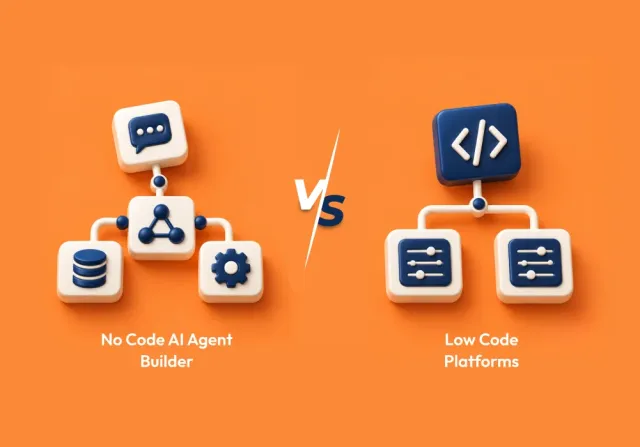
No-code AI agent builders make it easier for teams to create and test AI agents without extensive development. But ease of development does not mean every workflow is a good fit for no-code.
As an agent takes on more systems, actions, business rules, and exceptions, the technical requirements can change. Some workflows can stay within a no-code platform, while others need the additional flexibility of low-code.
The right approach depends on what the agent needs to do, how much control the team needs, and how the workflow may evolve over time. This guide explains where no-code works well, when low-code becomes useful, and how enterprise teams can choose between them.
No-Code AI Agent Builder vs. Low-Code: What’s the Difference?
The easiest way to understand the difference is to look at how much of the technical implementation the platform handles for you.
A no-code AI agent builder lets users create agents primarily through visual interfaces, natural-language instructions, templates, predefined actions, and existing integrations. It reduces the amount of traditional software development needed to create an agent.
A low-code platform follows a similar visual approach but allows developers to extend the solution with custom logic, APIs, functions, scripts, or other technical components when the built-in features are not enough.
The practical difference looks like this:
| Factor | No-Code AI Agent Builder | Low-Code Platform |
|---|---|---|
| Coding requirement | Little to none | Some coding may be required |
| Development speed | Faster for supported use cases | Fast, with more room for customization |
| Typical users | Business, operations, and technical teams | Business and technical teams, with greater developer involvement |
| Customization | Primarily within built-in capabilities | Supports more custom development |
| Integrations | Works well when required connectors and actions already exist | Better suited to custom APIs and integrations |
| Workflow logic | Best when required logic is supported by the platform | More flexibility for custom or complex logic |
| Technical control | More platform-managed | Greater developer control |
Enterprises do not have to commit to one approach for every AI agent. A team might use a no-code builder for a straightforward internal workflow and low-code for an agent that requires custom integrations, more complex logic, or greater technical control.
An agent may also start with no-code and require a more technical implementation as its responsibilities grow. The right approach depends on the workflow, integrations, customization requirements, and level of technical control the team needs.
When Does a No-Code AI Agent Builder Make Sense?

No-code works best when the business process is already reasonably clear, and the platform provides the capabilities needed to implement it without extensive customization.
Consider an internal HR agent that answers policy questions, retrieves approved information, directs employees to the right resources, and routes more complicated requests to a human team.
The business problem is valuable, but the workflow itself may not require a large engineering effort.
Predictable Workflows
No-code is a strong candidate when the agent follows a relatively predictable process.
Examples can include:
- IT support assistants
- HR knowledge assistants
- Customer service triage
- Lead qualification
- Internal knowledge assistants
- Document-based question answering
- Basic approval workflows
The clearer the process, the easier it is to represent it through the platform’s visual components.
Business Team Ownership
No-code can reduce the number of routine changes that depend on engineering support. Business teams may need to update instructions, change a knowledge source, modify a routing rule, or adjust a workflow as requirements change.
When the platform makes these changes accessible without custom development, the teams that own the process can manage more of the agent’s day-to-day configuration themselves.
Rapid Use Case Validation
Some AI agent use cases need to be tested before a team commits significant engineering resources to them. Teams may need to see whether the agent can handle the intended workflow, respond accurately to real user queries, support the required interactions, and deliver the expected business outcome.
A no-code AI agent builder can help teams create an initial version, test it with users, gather feedback, identify gaps in the workflow, and determine whether the use case delivers enough value to justify broader development.
Supported Integrations
The number of connectors a platform offers matters less than what those connectors can actually do within the workflow. Before choosing a no-code approach, teams should verify whether the available integrations support the required data access, actions, triggers, and updates.
For example, an agent might need to:
- Read customer information
- Create a support ticket
- Update a CRM record
- Search a knowledge base
- Trigger an approval
- Send information to another application
When the platform can perform these tasks through existing integrations, teams can avoid much of the custom API development, authentication configuration, integration logic, and ongoing maintenance that would otherwise be required.
Where No-Code Can Become Limiting
No-code can become limiting when the workflow requires capabilities that the platform cannot support through its built-in components and integrations.
For example, a customer service agent may need to retrieve customer data from a CRM, check order details in an ERP system, apply different rules based on the issue, create a support ticket, escalate exceptions, and wait for human approval before continuing.
The number of steps or systems alone does not determine whether low-code is necessary. The key question is whether the platform can support the required logic, integrations, exceptions, and approvals without workarounds or custom development.
When significant customization is required to make the workflow function as intended, low-code can provide greater control over how the agent connects to systems and executes the workflow.
When Should Enterprises Choose Low-Code Platforms?
Low-code becomes useful when an agent requires capabilities beyond what the platform can provide through standard configuration. It allows teams to use visual development while adding custom code, APIs, integrations, and logic where needed.
The Workflow Contains Complex Logic
The more conditions and exceptions a process has, the more likely it is to need capabilities beyond basic visual configuration.
Low-code platforms can allow technical teams to add custom functions, conditions, integrations, or processing steps without building the entire application from scratch.
Custom Integrations are Required
An agent may need to work with internal APIs, legacy applications, proprietary databases, identity systems, or specialized business applications that do not have suitable prebuilt connectors.
Low-code allows developers to build or extend these connections when existing integrations cannot support the required data access or actions.
Developers need Control over Specific Parts of the Workflow
Low-code can support shared ownership between business and technical teams. Business teams can manage the workflow and routine configuration, while developers handle components that require custom integrations, logic, authentication, or other technical work.
For example, a business team might define the workflow and maintain its instructions, while developers build and manage the custom API connections it depends on.
This approach allows business teams to retain ownership of the process without requiring them to manage the underlying technical components.
The Agent is Moving into a Critical Production Workflow
The evaluation changes when an agent starts handling real business operations.
A production agent may need stronger controls around access, testing, monitoring, error handling, auditability, and change management.
This is not necessarily a reason to reject no-code. It is a reason to evaluate whether the selected platform provides enough control for the workload.
No-Code vs. Low-Code: Which Fits Your Enterprise?
The right choice becomes clearer when you tie the decision to actual requirements.
| Requirement | More Suitable Approach |
|---|---|
| Simple internal assistant | No-code |
| Rapid proof of concept | No-code |
| Business team owns routine changes | No-code |
| Existing connectors cover the workflow | No-code |
| Complex business rules | Low-code |
| Custom API integrations | Low-code |
| Multiple enterprise systems | Low-code |
| Advanced workflow logic | Low-code |
| High level of customization | Low-code |
| Shared business and developer ownership | No-code + Low-code |
Rather than asking which platform type is better, use these four questions.
Who will own the Agent?
This question is easy to overlook.
An agent is not finished when it is deployed. Someone will need to maintain instructions, update information, review failures, manage access, and make changes as the business process evolves.
If the business team needs to own most of that work, no-code may be the better fit.
If developers will remain closely involved, low-code provides more room for technical control.
How Complicated is the Workflow?
Count more than just the number of steps.
Look at the number of systems involved, decision points, exceptions, approval stages, and actions the agent needs to perform.
A simple employee assistant and a multi-system operational agent should not be evaluated using the same criteria.
What can the Agent Access and Change?
There is a meaningful difference between an agent that retrieves information and one that can take actions.
The second type needs much more careful consideration around permissions and accountability.
Current enterprise guidance from Microsoft on governing and securing AI agents emphasizes agent identity, ownership, access control, monitoring, and the ability to intervene when behavior falls outside policy.
Similarly, PwC’s 2026 guidance on AI agent governance highlights the need for defined roles, task-specific permissions, auditable records, and increasing human oversight as agent autonomy and consequences increase.
What happens when the Agent Grows?
Do not evaluate the platform only against the first version of the use case.
Ask what happens when:
- Another system needs to be connected
- A new department starts using the agent
- The workflow gains more conditions
- More users require access
- Additional approval steps are introduced
- Monitoring becomes necessary
- Several similar agents need to be managed
A platform can work extremely well for one simple workflow and become difficult to manage when an organization starts building dozens of agents.
What to Look for in an Enterprise AI Agent Platform

No-code versus low-code is only one part of the decision.
The platform also needs to support what happens before, during, and after deployment.
Security and Access Controls
Start with a simple question:
What is the agent allowed to see and do?
Look at the permissions available to the agent, the users who manage it, and the systems it can interact with.
The safest design is usually not maximum access. It is the minimum access required for the agent to complete its assigned work.
This becomes especially important when an agent can use tools and take actions. The OWASP Top 10 for Agentic Applications 2026 identifies risks associated with agentic systems that can act across connected tools and workflows.
Integration Depth
Do not choose a platform based only on how many connectors it lists.
Ask what those integrations can actually do.
- Can the agent read data?
- Can it update records?
- Can it trigger workflows?
- Can it work with custom APIs?
- Can access be controlled properly?
An integration that only retrieves information may not be enough for an agent that needs to complete a workflow.
Governance and Ownership
The governance problem tends to become more visible as more teams create agents.
At minimum, enterprises should have clear answers to:
- Who owns each agent?
- Who can modify it?
- What data can it access?
- Which actions can it take?
- How are changes approved?
- How is its activity monitored?
- How can it be disabled or rolled back?
This is why governance needs to be considered during platform selection, rather than added after agents have already spread across teams.
Testing and Evaluation
Testing an AI agent is different from testing a traditional form or workflow.
The agent may receive inputs that were not explicitly anticipated by the development team.
Testing should therefore cover:
- Expected requests
- Unexpected requests
- Missing information
- Incorrect or conflicting information
- Unauthorized requests
- Failed integrations
- Escalation scenarios
- Actions that require human approval
The goal is not only to check whether the agent produces a good answer. It is to check whether it behaves correctly when the workflow does not go exactly as planned.
Monitoring and Observability
Production agents need visibility after launch.
Teams should be able to identify problems such as failed actions, unusual usage, repeated escalations, incorrect responses, or changes in behavior.
Without that visibility, it can be difficult to determine whether an agent is actually improving the process or quietly creating new operational problems.
Model Flexibility
Do not evaluate the platform only around the AI model it uses today.
The broader architecture matters too.
Look at how the platform handles:
- Business data
- Knowledge sources
- Tools
- Instructions
- Integrations
- Workflow logic
- Model changes
A flexible architecture gives the enterprise more room to adapt as its AI strategy develops.
Human Oversight
Full autonomy is not always the right design.
For sensitive workflows, an agent can prepare information or recommend an action while a person makes the final decision.
That can be particularly useful when the workflow affects financial activity, compliance, customer records, security, or other high-impact processes.
The goal is to decide where automation adds value and where human judgment should remain part of the process.
A Practical Way to Choose
Before comparing vendors, take one real business workflow and document five things.
| Question | What to define |
|---|---|
| What should the agent accomplish? | Business outcome |
| What information does it need? | Data sources |
| What systems must it access? | Applications and APIs |
| What actions can it perform? | Permitted actions |
| Where should humans be involved? | Approval and exception points |
Then evaluate how much of that workflow can be handled using the platform’s standard capabilities.
If most of the workflow can be built using existing components and integrations, a no-code AI agent builder may be enough.
If some parts require custom APIs, business logic, or developer-managed components, low-code may be a better fit.
If the workflow is highly specialized, business-critical, or requires extensive control, a custom development approach may be more appropriate.
This way of evaluating the options is more useful than comparing platforms feature by feature because it starts with the business process that the agent actually needs to support.
Build AI Agents That Fit Your Enterprise Workflows
Design and deploy agentic AI solutions tailored to your workflows, systems, and business requirements. Build smarter automation with the right technical foundation.
Conclusion: Choose the Approach That Fits the Workflow
No-code and low-code solve different development needs, and enterprises do not need to standardize on one approach for every AI agent. A straightforward workflow may work entirely within a no-code platform, while another may require custom integrations, logic, or greater developer control.
The decision should start with what the agent needs to do today and what will be required to manage it in production. Consider the systems it needs to access, the actions it can take, the level of customization required, and how the workflow may evolve.
The right platform should support more than building the agent. It should provide the integration, control, monitoring, governance, and maintainability needed to operate it reliably over time.
Exploring an AI Agent for Your Business?
Discuss your use case, integration needs, and business goals with our team. Find an approach that aligns with your enterprise requirements.
Frequently Asked Questions
A no-code AI agent builder is a platform that allows users to create AI agents through visual tools, natural-language instructions, predefined components, and integrations without traditional software development.
BuzzClan provides end-to-end Agentic AI Development Services covering strategy, architecture, development, enterprise integration, deployment, and optimization. The service is designed for AI systems that can reason, take actions, and work across business workflows.
No-code minimizes the need for programming and is designed to make agent development accessible to business and operations teams. Low-code provides the same visual development experience with additional options for custom logic, APIs, functions, and developer-managed components.
Yes. Agentic workflows can be designed so that people remain involved at specific decision points, while the agent handles the tasks that can safely be automated. This approach can be useful for sensitive or high-impact workflows.
Yes. A no-code AI agent can be used in production when the platform supports the required security, integrations, testing, monitoring, governance, and operational controls. The suitability depends on the use case and implementation, not simply on whether the platform is no-code.
A move toward low-code often makes sense when the agent requires custom integrations, more complicated business rules, additional control over workflows, or technical capabilities that the no-code platform cannot provide directly.
Yes. Using both approaches can be practical. No-code can support simpler business-led workflows, while low-code can be used for agents that require more customization or developer involvement.
Yes. BuzzClan describes agentic workflow solutions that work across multiple enterprise systems and support integrations such as ServiceNow, Salesforce, Oracle, custom APIs, and enterprise data sources. The integration approach depends on the specific workflow and architecture required.
Yes. The decision can be based on the workflow complexity, integration requirements, level of customization, security needs, and expected level of autonomy instead of selecting a development approach before understanding the business problem.
Yes. BuzzClan offers AI Agent Optimization and Managed Services that include ongoing monitoring, prompt tuning, retraining, and performance optimization to help production agents stay aligned with changing business requirements.

Get In Touch

Table of Contents
- No-Code AI Agent Builder vs. Low-Code: What’s the Difference?
- When Does a No-Code AI Agent Builder Make Sense?
- Where No-Code Can Become Limiting
- When Should Enterprises Choose Low-Code Platforms?
- No-Code vs. Low-Code: Which Fits Your Enterprise?
- What to Look for in an Enterprise AI Agent Platform
- A Practical Way to Choose
- Conclusion: Choose the Approach That Fits the Workflow
- Frequently Asked Questions


