
ADA Website Compliance 2026: What Government Agencies Need to Know About the April Deadline
Vishal Sharma
Feb 3, 2026
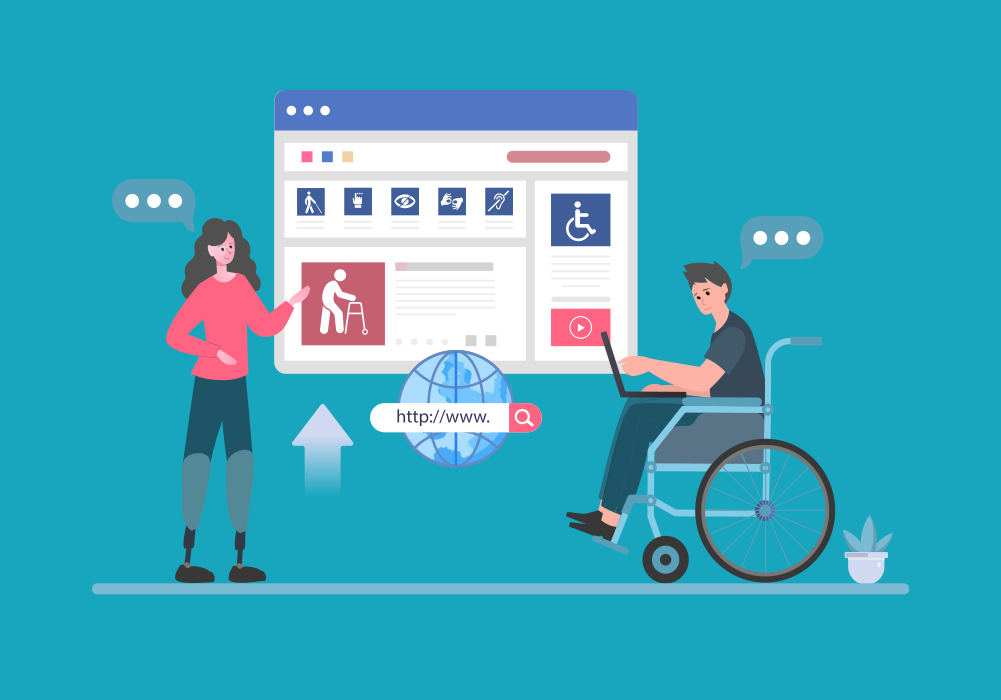
The clock is ticking for state and local governments across America. By April 2026 or 2027 – depending on population size – every government website and mobile application must meet strict accessibility standards under the Americans with Disabilities Act. This isn’t a suggestion or best practice recommendation. It’s federal law, backed by the Department of Justice’s enforcement authority and real legal consequences for noncompliance.
Yet, according to AudioEye research, government websites average 307 accessibility violations per page. That’s not a typo. Most public sector sites fail to meet even basic accessibility requirements, and the deadline is approaching fast.
The difference between an accessible and an inaccessible government website isn’t just a legal checkbox. It determines whether 61 million Americans with disabilities can access essential services – filing permits, paying taxes, scheduling appointments, or simply finding information they need from their local government.
This guide breaks down everything state and local government IT leaders, digital services teams, and procurement officers need to know about the 2026 ADA compliance deadline. You’ll learn what the rule actually requires, how much compliance realistically costs, and what steps to take right now to meet your agency’s deadline.
Understanding the New ADA Title II Rule
In April 2024, the Department of Justice published final regulations that eliminate decades of ambiguity about digital accessibility requirements for state and local governments. The rule establishes WCAG 2.1 Level AA as the mandatory technical standard for all government web content and mobile applications.
This regulation applies to every digital touchpoint that delivers government programs, services, or activities. That includes primary websites, web-based applications, mobile apps, online forms, PDF documents, and even third-party content hosted on government platforms.
The scope is broader than most agencies initially realize. Interactive maps showing park locations? Covered. Online permit applications? Covered. PDFs with meeting agendas? Covered. Mobile apps for reporting potholes? Covered. If your agency publishes it online and citizens interact with it, the rule applies.
Who Must Comply and When
Your compliance deadline depends on your population according to the 2020 Census:
- April 24, 2026 – State and local governments serving populations of 50,000 or more
- April 26, 2027 – State and local governments serving populations under 50,000, plus all special district governments regardless of size
For multi-jurisdictional agencies, use the population data from the 2020 decennial Census. Independent school districts should reference the 2022 Small Area Income and Poverty Estimates instead.
What WCAG 2.1 Level AA Actually Requires
The Web Content Accessibility Guidelines represent the international standard for web accessibility, developed through extensive collaboration between accessibility experts, people with disabilities, and technology professionals. WCAG 2.1 Level AA isn’t arbitrary – it’s the result of years of research into what makes digital content genuinely usable for people with various disabilities.
The guidelines are organized around four foundational principles. Content must be:
- Perceivable – Information and interface elements must be presented in ways all users can perceive, regardless of sensory abilities. This means providing text alternatives for images, captions for videos, and ensuring sufficient color contrast between text and its background.
- Operable – Users must be able to navigate and interact with your site through various input methods. Keyboard-only navigation is essential, as many people with motor disabilities can’t use a mouse. Time limits need to accommodate those who process information more slowly. Animations must not trigger seizures.
- Understandable – Content and functionality should be comprehensible. Text should be readable at appropriate literacy levels. Forms need clear labels and error messages. Navigation should be consistent across pages.
- Robust – Your site must work reliably with assistive technologies like screen readers, and remain compatible as those technologies evolve. This requires clean, standards-compliant code that assistive devices can interpret correctly.
Level AA compliance means meeting all Level A success criteria (the bare minimum for accessibility) plus intermediate Level AA criteria. There are 50 specific success criteria across these two levels, covering everything from keyboard accessibility to proper heading structures to sufficient text spacing.
Common Misconceptions About ADA Compliance
Several dangerous myths circulate about website accessibility compliance. Understanding what doesn’t work prevents wasted time and money.
Myth: Accessibility overlay widgets provide adequate compliance
Automated overlay tools that promise “instant accessibility” with a single line of JavaScript cannot, by definition, deliver WCAG compliance. These widgets – often promoted through aggressive marketing – typically add a toolbar that allows users to adjust font sizes or toggle high-contrast modes.
The problems run deeper than their marketing suggests. Overlays address at most 30% of accessibility issues, leaving the majority of barriers intact. They often create new problems for screen reader users. Most critically, they don’t fix the underlying code issues that cause accessibility failures.
In 2023, the Federal Trade Commission fined accessiBe $1 million for false advertising about the capabilities of its overlay product. Legal analysis consistently finds that overlays provide no meaningful legal protection against ADA lawsuits. Several class-action suits have specifically named overlay usage as evidence of inaccessibility.
Myth: Automated scanning provides complete compliance
Automated accessibility testing tools serve an important purpose – they efficiently identify certain types of violations across large sites. But automated tools can only detect about 30% of WCAG issues at best. The remaining 70% require human judgment and testing with actual assistive technologies.
Automated scans excel at checking technical requirements like alt text presence, color contrast ratios, and valid HTML. They struggle with context-dependent issues. Is that alt text actually meaningful? Does keyboard navigation follow a logical order? Can screen reader users complete multi-step processes?
Comprehensive compliance requires combining automated scanning with manual expert review and assistive technology testing.
Myth: One-time fixes provide ongoing compliance
Accessibility isn’t a project with a finish line – it’s an ongoing program requiring continuous attention. Your site evolves constantly through content updates, new features, and technology changes. Each modification risks introducing new accessibility barriers.
Organizations that achieve initial compliance but neglect maintenance are likely to experience recurring violations as their sites change. Effective accessibility programs include governance policies, staff training, quality assurance processes, and regular audits to maintain compliance as sites evolve.
The Real Cost of WCAG Compliance

Budget planning for accessibility compliance requires understanding several cost factors. Transparency about pricing helps agencies plan realistically rather than getting caught by unexpected expenses.
Accessibility Audit Costs
Professional WCAG 2.1 Level AA audits typically cost $1,250 to $2,750 for most government websites, according to industry data from Accessible.org. A useful quick estimate: multiply $125 by the number of unique page templates and components requiring evaluation.
Simple information-heavy sites land on the lower end of that range. Complex sites with interactive forms, multi-step processes, and custom functionality cost more to audit thoroughly. Extremely complex portals with hundreds of unique components can reach five figures for a comprehensive assessment.
What makes audits expensive is the labor-intensive nature of proper accessibility testing. Professional auditors combine automated scanning across all pages with detailed manual review of representative templates using keyboard-only navigation and multiple screen readers. They test with real assistive technologies in different browsers to identify issues that automated tools miss.
Quality varies dramatically across accessibility service providers. Some firms essentially resell automated scan results with minimal human review. Others conduct rigorous testing by IAAP-certified specialists with years of experience. Price differences often reflect these quality variations – paying for comprehensive testing typically costs less than cutting corners, then discovering major issues remain.
Remediation Costs
Fixing identified accessibility issues costs significantly more than initial audits, though actual spending depends heavily on implementation approach.
For sites with relatively clean codebases and minimal violations, development teams can often remediate issues in-house using audit findings as technical guidance. This typically costs $5,000 to $15,000 in staff time and contractor support for straightforward government sites.
Sites with extensive accessibility violations, outdated technology stacks, or complex functionality face steeper remediation costs. Comprehensive fixes for these sites often run $25,000 to $50,000 or more, depending on site complexity and current accessibility state.
The most expensive scenario? Attempting to retrofit accessibility onto legacy systems built without any accessibility consideration. Many agencies discover that rebuilding on modern, accessibility-first platforms costs less than trying to fix fundamentally inaccessible code.
Ongoing Monitoring and Maintenance
Maintaining accessibility after initial compliance requires a budget for ongoing monitoring, periodic re-audits, and staff training. Expect approximately $500 to $2,000 per month for automated monitoring services, plus quarterly or annual manual audits.
Organizations that integrate accessibility into their standard development and content management workflows significantly reduce these ongoing costs. Training content creators on accessible document formatting, requiring accessibility checks before publishing new features, and building accessibility into procurement requirements prevents many issues before they occur.
Building Your Compliance Roadmap
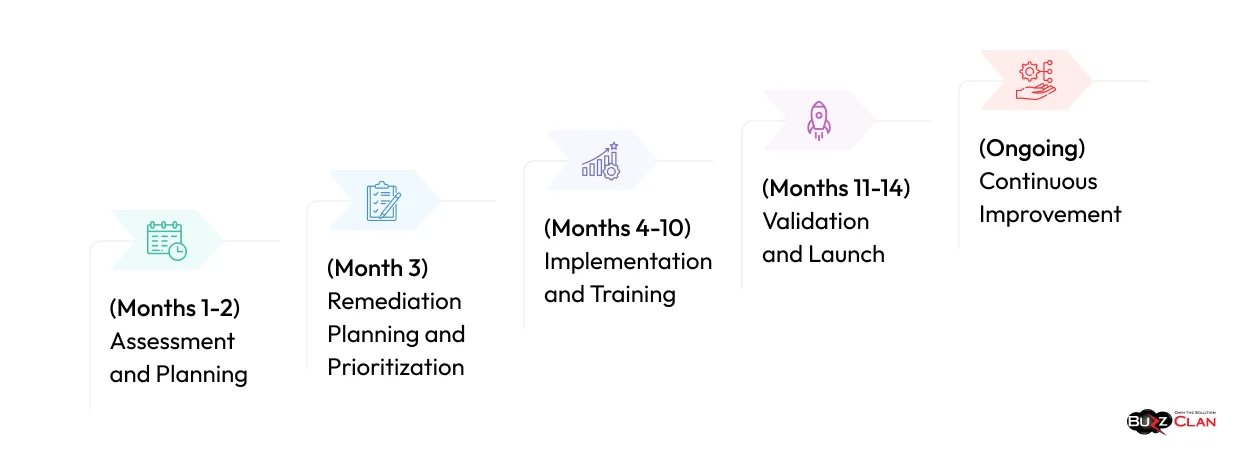
Meeting your April 2026 or 2027 deadline requires a structured, phased approach. Here’s a realistic implementation timeline based on successful government accessibility programs.
Phase 1: Assessment and Planning (Months 1-2)
Start by establishing executive sponsorship and assembling a cross-functional accessibility team. Include representatives from IT, communications, legal, procurement, and key departments that manage citizen-facing services.
Conduct a comprehensive digital asset inventory. Many governments discover forgotten subsites, archived content, and third-party integrations during this process. Catalog everything: main websites, department microsites, web applications, mobile apps, and online documents.
Commission a thorough accessibility audit of your core digital properties. Focus the initial audit on your most critical citizen-facing services – the pages and applications people actually use to interact with government.
Phase 2: Remediation Planning and Prioritization (Month 3)
Audit results typically reveal more issues than agencies can immediately address. Strategic prioritization becomes essential.
Apply a risk-based approach. Prioritize remediating the most severe accessibility barriers first – issues that completely block people with disabilities from accessing essential services. Critical services like permit applications, tax payments, and emergency information deserve immediate attention.
Consider impact and usage data. A minor violation on your homepage affects more people than the same issue on a rarely-visited archive page. High-traffic pages and essential services warrant prioritization over low-value content.
Create detailed remediation plans with realistic timelines, assigned ownership, and resource requirements. Be specific about what gets fixed when, who’s responsible, and how much it will cost.
Phase 3: Implementation and Training (Months 4-10)
Execute remediation work in focused sprints. Many organizations find success tackling one major section or component type at a time rather than attempting site-wide changes simultaneously implement robust staff training programs early in your timeline. Content creators, web developers, procurement officers, and communications staff all need accessibility knowledge relevant to their roles. Invest in professional development through IAAP certifications, WebAIM workshops, or Section508.gov’s free online courses.
Training shouldn’t be a one-time event. Build accessibility knowledge into onboarding for new staff and ongoing professional development for existing teams. The most successful accessibility programs embed this knowledge throughout the organization rather than treating it as specialized expertise held by a single person.
Phase 4: Validation and Launch (Months 11-14)
As remediation nears completion, conduct thorough validation testing. Combine automated scanning tools with manual expert review and actual assistive technology testing. Many organizations discover edge cases and interaction patterns that earlier audits missed during this phase.
User testing with people who have disabilities provides invaluable real-world feedback that technical audits can miss. Organizations that incorporate actual users with various disabilities into their testing consistently produce more genuinely accessible experiences than those relying solely on expert evaluation.
Document everything. Create detailed accessibility statements explaining your conformance status, known issues, and remediation timeline. Provide clear contact information for accessibility feedback and requests for alternative formats.
Phase 5: Continuous Improvement (Ongoing)
Accessibility compliance isn’t a destination – it’s an ongoing operational requirement. Establish governance structures that maintain accessibility as your digital properties evolve.
Integrate accessibility checkpoints into your content management and development workflows. New content should undergo accessibility review before publication. Feature releases require accessibility testing as part of standard quality assurance.
Schedule regular audits to catch regressions and emerging issues. Quarterly automated scans supplemented by annual comprehensive manual audits help most organizations maintain compliance without excessive burden.
Managing Third-Party Vendors and Procurement
Government digital services increasingly rely on third-party vendors for everything from website platforms to payment processing to document management systems. Each integration point creates potential accessibility barriers – and compliance responsibility.
The DOJ rule explicitly holds governments accountable for third-party content and services. If a citizen can’t file a permit application because the form platform you choose lacks keyboard accessibility, that’s your compliance problem, regardless of who built the form.
VPAT and ACR Requirements
Update procurement policies to require detailed accessibility documentation from all technology vendors. Specifically request VPATs (Voluntary Product Accessibility Templates) and ACRs (Accessibility Conformance Reports) that document WCAG 2.1 Level AA compliance.
A VPAT provides standardized documentation of a product’s accessibility features and conformance level. The accompanying ACR explains specific success criteria met, partially met, or not met. Together, these documents allow procurement teams to make informed decisions about accessibility before committing to vendors.
Warning: Many vendors submit incomplete or inaccurate VPATs. Procurement teams should scrutinize these documents carefully, looking for specific claims rather than vague assertions. Phrases like “substantially compliant” without supporting detail should raise red flags. The best VPATs include detailed explanations of testing methodology and specific evidence for each criterion.
Consider requiring vendors to demonstrate accessibility through actual product testing as part of the evaluation process. Request access to pilot environments where your team can test with assistive technologies. Vendors truly confident in their accessibility welcome such testing; those with questionable claims often resist.
Contractual Protections
Include strong accessibility language in all technology contracts. Specify WCAG 2.1 Level AA conformance as a requirement, not a nice-to-have feature. Include remediation timelines if issues are discovered after implementation. Most importantly, assign clear responsibility for accessibility failures.
Model contract language should include:
- Explicit WCAG 2.1 Level AA conformance requirements
- Requirements for providing updated VPATs as products evolve
- Remediation timelines if accessibility issues are discovered
- Financial penalties for non-conformance
- Clear indemnification language protecting your agency from lawsuits arising from vendor accessibility failures
- Regular reporting requirements on accessibility status
Some vendors resist these requirements, arguing their solutions are “industry standard” or “substantially accessible.” Hold firm. The April 2026/2027 deadlines don’t provide exceptions for industry norms. Your agency is legally responsible regardless of vendor promises.
Legal Risk and Enforcement Landscape
Non-compliance with the ADA Title II rule creates both legal and reputational risk for government agencies. Understanding enforcement mechanisms helps agencies appropriately prioritize.
The Department of Justice can initiate investigations into non-compliant agencies. These investigations typically result from complaints filed by individuals who encounter accessibility barriers. DOJ investigations are thorough, time-consuming, and can result in consent decrees requiring extensive remediation under federal oversight.
Private lawsuits under Title II are also possible, though less common than Title III cases against businesses. When lawsuits occur, settlements typically include mandatory accessibility improvements, ongoing monitoring, awards to plaintiff’s attorneys, and damages.
Beyond formal legal action, accessibility failures damage public trust and create PR problems when citizens with disabilities publicly call out inaccessible government services. In an era of social media amplification, accessibility barriers go viral, making the government’s failure to serve all citizens equally apparent.
The reputational cost compounds when you consider that approximately 61 million Americans – roughly 26% of adults – have some type of disability. Creating barriers that exclude more than one in four potential constituents represents poor public service regardless of legal mandates.
Beyond Compliance: The Benefits of Accessible Government Services
While legal compliance drives much accessibility work, agencies that view accessibility purely as risk mitigation miss substantial benefits.
Accessible websites work better for everyone, not just people with disabilities. Clear navigation helps citizens who speak English as a second language. Keyboard shortcuts benefit power users. Captions help anyone watching videos in noisy or quiet environments where audio isn’t practical. High contrast text remains readable on mobile devices in bright sunlight.
Search engines increasingly reward accessible websites. Google’s algorithms favor sites with proper heading structures, descriptive link text, and semantic HTML – all WCAG requirements. Accessibility improvements often correlate with better search visibility and higher traffic.
Accessible digital services reduce support burden and operational costs. When citizens can complete processes independently online, they don’t need to visit offices, call help desks, or request special assistance. Self-service accessibility pays ongoing dividends through reduced staffing needs for routine transactions.
The philosophical argument matters too. Government exists to serve all citizens. Digital services that exclude people with disabilities fundamentally fail this mission regardless of legal technicalities. Meeting accessibility standards represents a basic government responsibility, not an optional enhancement.
Choosing the Right Implementation Partner
Most government agencies lack in-house expertise for comprehensive WCAG compliance work. Selecting the right implementation partner significantly impacts both timeline and outcomes.
Look for partners with proven experience in the government sector. Accessibility requirements for government sites often differ from those in the private sector due to specific content types, security requirements, and public records considerations. Partners experienced with government clients understand these nuances.
Verify actual expertise rather than marketing claims. Request case studies with specific, measurable results. Ask for references from similar-sized agencies and follow up thoroughly. The accessibility consulting market includes highly qualified specialists and also opportunistic vendors exploiting compliance deadlines with minimal expertise.
Avoid quick-fix solutions that promise instant compliance through automated tools or overlay widgets. Real accessibility requires careful auditing, substantive remediation work, and ongoing maintenance. Partners promising easy shortcuts typically deliver inadequate results that create false confidence while leaving agencies exposed to compliance risks.
Look for comprehensive service offerings that combine initial audits with remediation support, staff training, and ongoing monitoring. The most successful implementations integrate multiple service components rather than treating accessibility as a one-time audit purchase.
Preparing for April 2026
With months remaining until the April 2026 deadline for larger jurisdictions, agencies should move urgently but strategically. Panic-driven implementations typically cost more and deliver worse results than planned, phased approaches.
Start with an accurate assessment of the current status. Most agencies haven’t conducted comprehensive WCAG audits recently. Understanding your starting point informs realistic remediation planning and resource allocation.
Secure executive commitment and adequate budget allocation. Accessibility compliance requires resources – trying to achieve it without proper budget leads to half-measures that fail both accessibility goals and compliance requirements. Frame accessibility spending as essential infrastructure investment, not optional enhancement.
Build cross-functional teams that include IT, communications, legal, procurement, and key department representatives. Accessibility cuts across organizational boundaries and requires coordinated effort. Siloed implementations miss dependencies and create gaps.
Document everything as you proceed. Maintain records of audit findings, remediation work, training completion, policy adoptions, and ongoing monitoring. Thorough documentation demonstrates good-faith compliance efforts if questions arise and supports continuous improvement as your program matures.
Most importantly, start now. Agencies that begin accessibility work in early 2026 face compressed timelines, limited vendor availability, and higher costs as the deadline approaches. Those starting comprehensive efforts now have time for strategic, sustainable implementations that build long-term accessibility programs rather than rushed compliance exercises.
The April 2026 and 2027 deadlines represent a fundamental shift in how governments deliver digital services. Accessible government websites aren’t a technical nice-to-have – they’re a civil rights requirement and basic public service responsibility. Agencies that embrace this reality and invest appropriately will serve all citizens better while avoiding significant legal and reputational risks. Those who delay or minimize accessibility requirements face expensive consequences and ongoing compliance struggles.
Organizations like BuzzClan specialize in helping government agencies
navigate complex digital transformation initiatives while maintaining robust quality assurance standards. With experience implementing secure, compliant technology solutions> for public sector clients, BuzzClan understands the technical requirements and governance considerations that enable government accessibility projects to succeed.
FAQs

Get In Touch
Follow Us